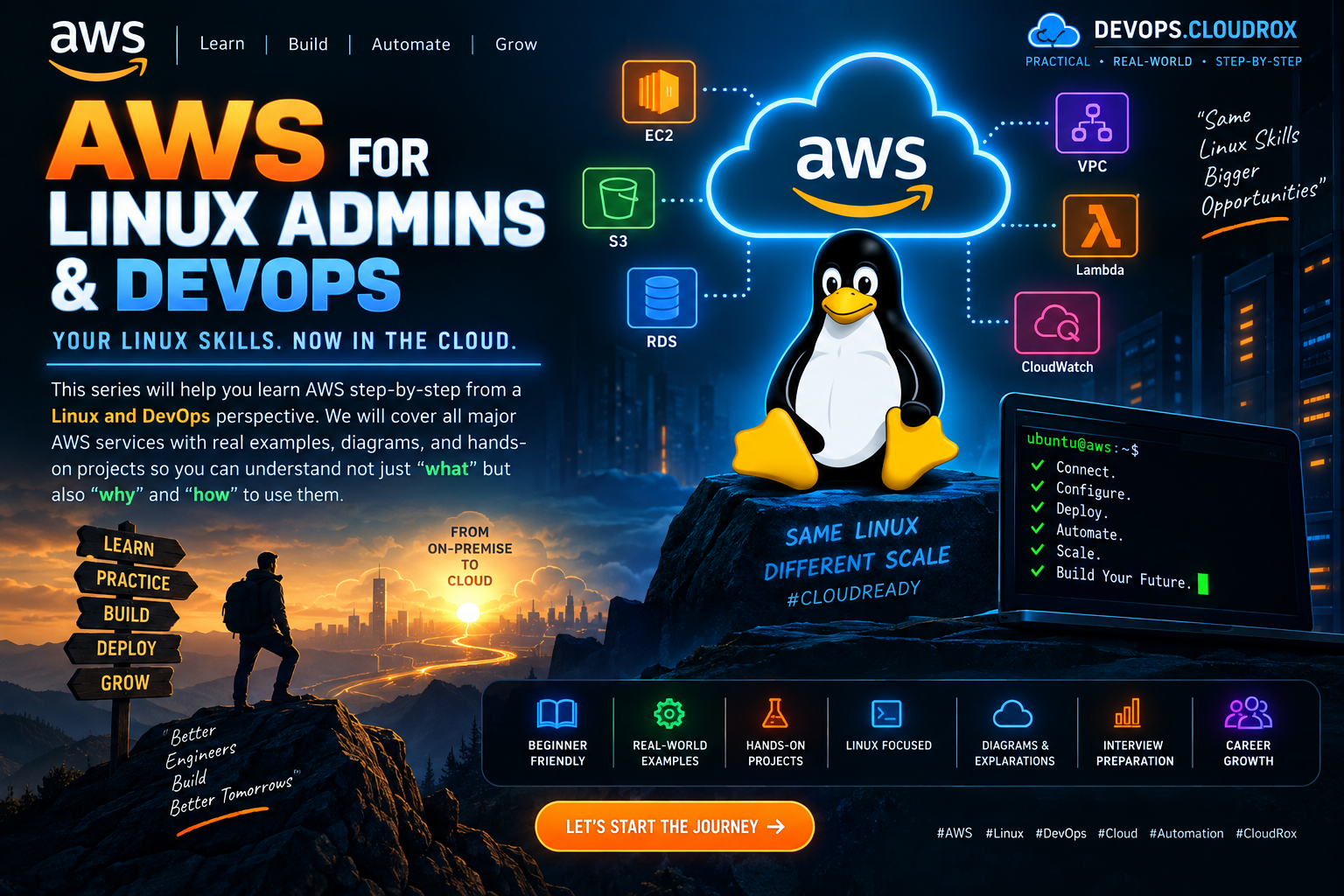
AWS for Linux & DevOps Engineers
Learn AWS by connecting cloud services with the Linux skills you already use: servers, networking, storage, security, automation and monitoring.
root@devops-lab:~# aws --version
root@devops-lab:~# aws sts get-caller-identity
root@devops-lab:~# aws ec2 describe-instances
Do not memorize AWS names. Start with the problem. If you understand Linux servers, IP addresses, ports, disks, users, permissions, services and troubleshooting, you already have a strong foundation for AWS.
Each section shows the reference image first, then explains the idea, connects it to Linux, gives a practical flow and shows an example you can use in a lab.
What is AWS?
AWS is a cloud platform. Instead of buying physical servers, you can create compute, storage, networking and managed services when you need them.

Think of EC2 as a cloud server. You still work with Linux users, files, processes, packages, services, ports and logs.
aws --version
aws sts get-caller-identity
Why are we doing this?
This step turns the AWS concept into an operational task. Replace placeholders such as YOUR-BUCKET, YOUR-DOMAIN or YOUR-USER before running anything.
What should you understand?
Know what resource is involved, where traffic or data goes, what permission is required, and what happens when the component fails.
AWS Global Infrastructure
AWS resources run inside Regions and Availability Zones. Choosing the right location affects latency, availability and recovery.

It is similar to deciding where your production servers should physically live, except AWS gives you isolated infrastructure locations.
aws ec2 describe-regions --output table
aws ec2 describe-availability-zones --output table
Why are we doing this?
This step turns the AWS concept into an operational task. Replace placeholders such as YOUR-BUCKET, YOUR-DOMAIN or YOUR-USER before running anything.
What should you understand?
Know what resource is involved, where traffic or data goes, what permission is required, and what happens when the component fails.
Compute Services
Compute is where your application code runs. EC2 gives you virtual machines; containers and serverless services reduce server management.

EC2 feels closest to a normal Linux server. ECS/EKS and Lambda move more operational work from you to the platform.
aws ec2 describe-instances --output table
sudo apt update
sudo apt install nginx -y
Why are we doing this?
This step turns the AWS concept into an operational task. Replace placeholders such as YOUR-BUCKET, YOUR-DOMAIN or YOUR-USER before running anything.
What should you understand?
Know what resource is involved, where traffic or data goes, what permission is required, and what happens when the component fails.
Storage Services
AWS provides different storage models for different jobs. S3 is object storage, EBS is block storage, and EFS is shared file storage.

EBS behaves like attached disk storage for an EC2 server. S3 is not a normal mounted Linux filesystem; it stores objects through an API.
tar -czf site-backup.tar.gz /var/www/html
aws s3 cp site-backup.tar.gz s3://YOUR-BUCKET/backups/
Why are we doing this?
This step turns the AWS concept into an operational task. Replace placeholders such as YOUR-BUCKET, YOUR-DOMAIN or YOUR-USER before running anything.
What should you understand?
Know what resource is involved, where traffic or data goes, what permission is required, and what happens when the component fails.
Database Services
Managed databases let AWS handle much of the database infrastructure while you focus on the application and data.

Instead of installing and patching a database yourself on Ubuntu, services such as RDS can manage many routine database operations.
# Connect from an approved application host.
# Keep database credentials out of source code and shell history.
Why are we doing this?
This step turns the AWS concept into an operational task. Replace placeholders such as YOUR-BUCKET, YOUR-DOMAIN or YOUR-USER before running anything.
What should you understand?
Know what resource is involved, where traffic or data goes, what permission is required, and what happens when the component fails.
Networking & Content Delivery
VPC is the foundation of AWS networking. Subnets, route tables, gateways and security controls decide how traffic moves.

Map this to Linux networking: IP addresses, routes, DNS, interfaces and firewall rules.
ip addr
ip route
ss -tulpn
# Map these Linux concepts to your VPC design.
Why are we doing this?
This step turns the AWS concept into an operational task. Replace placeholders such as YOUR-BUCKET, YOUR-DOMAIN or YOUR-USER before running anything.
What should you understand?
Know what resource is involved, where traffic or data goes, what permission is required, and what happens when the component fails.
Security, Identity & Compliance
IAM controls AWS identities and permissions. Security Groups and other controls protect network access, while CloudTrail records API activity.

IAM is similar in spirit to Linux users and permissions, but it controls access to AWS APIs and resources.
aws sts get-caller-identity
aws iam list-attached-user-policies --user-name YOUR-USER
Why are we doing this?
This step turns the AWS concept into an operational task. Replace placeholders such as YOUR-BUCKET, YOUR-DOMAIN or YOUR-USER before running anything.
What should you understand?
Know what resource is involved, where traffic or data goes, what permission is required, and what happens when the component fails.
Management & Governance
CloudWatch, Systems Manager, CloudFormation and Config help you operate infrastructure consistently at scale.

Linux commands such as systemctl, journalctl, df and top give you local visibility; AWS management tools extend that operational model.
systemctl status nginx
journalctl -u nginx --since '30 min ago'
df -h
Why are we doing this?
This step turns the AWS concept into an operational task. Replace placeholders such as YOUR-BUCKET, YOUR-DOMAIN or YOUR-USER before running anything.
What should you understand?
Know what resource is involved, where traffic or data goes, what permission is required, and what happens when the component fails.
Application Integration
SQS, SNS, EventBridge and API Gateway help applications communicate without tightly coupling every component.

It is like using a queue or service boundary between Linux processes instead of making every process depend directly on another process.
# Producer -> SQS -> Worker
# Publisher -> SNS -> Subscribers
Why are we doing this?
This step turns the AWS concept into an operational task. Replace placeholders such as YOUR-BUCKET, YOUR-DOMAIN or YOUR-USER before running anything.
What should you understand?
Know what resource is involved, where traffic or data goes, what permission is required, and what happens when the component fails.
Analytics Services
Analytics services help collect, process and query large amounts of data. S3, Athena, Redshift, Kinesis and EMR solve different data problems.

The Linux habit of collecting logs into files becomes a cloud data pipeline when those logs are stored, queried and processed at scale.
journalctl -u nginx > nginx.log
aws s3 cp nginx.log s3://YOUR-BUCKET/logs/
Why are we doing this?
This step turns the AWS concept into an operational task. Replace placeholders such as YOUR-BUCKET, YOUR-DOMAIN or YOUR-USER before running anything.
What should you understand?
Know what resource is involved, where traffic or data goes, what permission is required, and what happens when the component fails.
High Availability & Scaling
High availability means designing so a failure of one component does not take down the whole application.

Two Linux servers are only useful if traffic can reach a healthy one when the other fails. Load balancing and Auto Scaling automate this.
uptime
free -h
df -h
# Use real usage data before changing capacity.
Why are we doing this?
This step turns the AWS concept into an operational task. Replace placeholders such as YOUR-BUCKET, YOUR-DOMAIN or YOUR-USER before running anything.
What should you understand?
Know what resource is involved, where traffic or data goes, what permission is required, and what happens when the component fails.
Billing & Cost Management
Cloud infrastructure is metered. Cost management is part of good engineering, not an afterthought.

Just as you monitor CPU, RAM and disk on Linux, you should monitor resource usage and spending in AWS.
# Review AWS spending and set a budget before scaling a lab.
Why are we doing this?
This step turns the AWS concept into an operational task. Replace placeholders such as YOUR-BUCKET, YOUR-DOMAIN or YOUR-USER before running anything.
What should you understand?
Know what resource is involved, where traffic or data goes, what permission is required, and what happens when the component fails.
Deployment & DevOps
A DevOps workflow turns source code into a tested and repeatable deployment.

Your Linux deployment commands should become automation: build, test, configure, deploy and verify.
git pull
./build.sh
./test.sh
./deploy.sh
curl -f https://YOUR-DOMAIN/health
Why are we doing this?
This step turns the AWS concept into an operational task. Replace placeholders such as YOUR-BUCKET, YOUR-DOMAIN or YOUR-USER before running anything.
What should you understand?
Know what resource is involved, where traffic or data goes, what permission is required, and what happens when the component fails.
Migration Services
Migration starts with understanding the existing application, its dependencies, data and network requirements.

Inventory the current Linux server first: packages, services, ports, disks, cron jobs, configuration and application dependencies.
dpkg -l > installed-packages.txt
systemctl list-unit-files --state=enabled
ss -tulpn
Why are we doing this?
This step turns the AWS concept into an operational task. Replace placeholders such as YOUR-BUCKET, YOUR-DOMAIN or YOUR-USER before running anything.
What should you understand?
Know what resource is involved, where traffic or data goes, what permission is required, and what happens when the component fails.
AI / ML Services
AWS provides managed services for machine learning and AI workloads, reducing the infrastructure you must build yourself.

AI applications still need Linux-style foundations: networking, storage, permissions, logging, deployment and monitoring.
# event -> AI service -> result -> application
Why are we doing this?
This step turns the AWS concept into an operational task. Replace placeholders such as YOUR-BUCKET, YOUR-DOMAIN or YOUR-USER before running anything.
What should you understand?
Know what resource is involved, where traffic or data goes, what permission is required, and what happens when the component fails.
Monitoring & Logging
Monitoring tells you what is happening. Logs help you understand why it happened.

Start with top, free, df, uptime, systemctl and journalctl. Then connect those ideas to CloudWatch metrics and logs.
top
free -h
df -h
journalctl -u nginx -n 100
Why are we doing this?
This step turns the AWS concept into an operational task. Replace placeholders such as YOUR-BUCKET, YOUR-DOMAIN or YOUR-USER before running anything.
What should you understand?
Know what resource is involved, where traffic or data goes, what permission is required, and what happens when the component fails.
S3 Key Features
S3 is durable object storage commonly used for files, backups, logs, static assets and data lakes.

A backup file created with tar can be uploaded to S3 and kept independently from the server that produced it.
aws s3 ls
aws s3 cp backup.tar.gz s3://YOUR-BUCKET/backups/
aws s3 ls s3://YOUR-BUCKET/backups/
Why are we doing this?
This step turns the AWS concept into an operational task. Replace placeholders such as YOUR-BUCKET, YOUR-DOMAIN or YOUR-USER before running anything.
What should you understand?
Know what resource is involved, where traffic or data goes, what permission is required, and what happens when the component fails.
EC2 Instance Types
EC2 instance families are optimized for different workloads: balanced, CPU-heavy, memory-heavy or storage-heavy.

Use Linux monitoring to understand whether your application is CPU-bound, memory-bound or storage-bound before changing instance type.
nproc
free -h
lsblk
df -h
Why are we doing this?
This step turns the AWS concept into an operational task. Replace placeholders such as YOUR-BUCKET, YOUR-DOMAIN or YOUR-USER before running anything.
What should you understand?
Know what resource is involved, where traffic or data goes, what permission is required, and what happens when the component fails.
VPC Components
A VPC combines CIDR ranges, subnets, route tables and gateways to build a private network in AWS.

The concepts map closely to Linux IP addressing and routing, but AWS provides managed building blocks around them.
ip addr
ip route
# Then map CIDR, subnet and route-table design in VPC.
Why are we doing this?
This step turns the AWS concept into an operational task. Replace placeholders such as YOUR-BUCKET, YOUR-DOMAIN or YOUR-USER before running anything.
What should you understand?
Know what resource is involved, where traffic or data goes, what permission is required, and what happens when the component fails.
Security Group vs NACL
Security Groups protect resources such as EC2. Network ACLs work at the subnet boundary.

Think of them as different layers of network filtering. Use precise rules and avoid opening more ports than the application needs.
ss -tulpn
curl -I http://SERVER-IP/
Why are we doing this?
This step turns the AWS concept into an operational task. Replace placeholders such as YOUR-BUCKET, YOUR-DOMAIN or YOUR-USER before running anything.
What should you understand?
Know what resource is involved, where traffic or data goes, what permission is required, and what happens when the component fails.
Load Balancing
A load balancer accepts client traffic and sends it to healthy application targets.

Instead of giving users one server IP, users reach the load balancer while backend Linux servers can be replaced or scaled.
curl -I https://YOUR-DOMAIN/
# Confirm the load balancer reaches a healthy target.
Why are we doing this?
This step turns the AWS concept into an operational task. Replace placeholders such as YOUR-BUCKET, YOUR-DOMAIN or YOUR-USER before running anything.
What should you understand?
Know what resource is involved, where traffic or data goes, what permission is required, and what happens when the component fails.
Route 53
Route 53 provides DNS and routing capabilities. DNS maps a friendly name to an application endpoint.

This is the cloud version of managing DNS records for a Linux-hosted web service.
dig +short YOUR-DOMAIN
nslookup YOUR-DOMAIN
Why are we doing this?
This step turns the AWS concept into an operational task. Replace placeholders such as YOUR-BUCKET, YOUR-DOMAIN or YOUR-USER before running anything.
What should you understand?
Know what resource is involved, where traffic or data goes, what permission is required, and what happens when the component fails.
SQS vs SNS
SQS is a queue where consumers process messages. SNS is a publish-subscribe service that can fan out a message to multiple subscribers.

Use a queue when work should wait for a worker. Use publish-subscribe when several systems need to receive an event.
# Queue: producer -> SQS -> worker
# Pub/Sub: publisher -> SNS -> subscribers
Why are we doing this?
This step turns the AWS concept into an operational task. Replace placeholders such as YOUR-BUCKET, YOUR-DOMAIN or YOUR-USER before running anything.
What should you understand?
Know what resource is involved, where traffic or data goes, what permission is required, and what happens when the component fails.
AWS Lambda
Lambda runs functions in response to events without requiring you to maintain a traditional server for each function.

You still manage code, permissions, logs, networking and failures; you simply manage less server infrastructure.
# Function code is triggered by an event.
# Use CloudWatch logs to inspect execution.
Why are we doing this?
This step turns the AWS concept into an operational task. Replace placeholders such as YOUR-BUCKET, YOUR-DOMAIN or YOUR-USER before running anything.
What should you understand?
Know what resource is involved, where traffic or data goes, what permission is required, and what happens when the component fails.
CloudFormation
CloudFormation lets you describe AWS infrastructure as code so environments can be created consistently.

It is the same DevOps idea as turning manual server setup into scripts, except the code describes cloud resources.
# Store CloudFormation templates in Git.
# Review infrastructure changes before applying them.
Why are we doing this?
This step turns the AWS concept into an operational task. Replace placeholders such as YOUR-BUCKET, YOUR-DOMAIN or YOUR-USER before running anything.
What should you understand?
Know what resource is involved, where traffic or data goes, what permission is required, and what happens when the component fails.
Well-Architected Framework
A strong AWS design considers operations, security, reliability, performance, cost and sustainability.

A Linux server that works today is not enough. Production engineering also asks how it will be secured, monitored, scaled and recovered.
# Review security, reliability, performance and cost.
# Document the important trade-offs.
Why are we doing this?
This step turns the AWS concept into an operational task. Replace placeholders such as YOUR-BUCKET, YOUR-DOMAIN or YOUR-USER before running anything.
What should you understand?
Know what resource is involved, where traffic or data goes, what permission is required, and what happens when the component fails.
Disaster Recovery
Disaster recovery is the plan for restoring service and data after a serious failure.

Backups, restore testing, configuration management and documented recovery commands are useful on Linux and in AWS.
tar -czf recovery-test.tar.gz /etc/nginx /var/www/html
# Restore the backup in a test environment.
Why are we doing this?
This step turns the AWS concept into an operational task. Replace placeholders such as YOUR-BUCKET, YOUR-DOMAIN or YOUR-USER before running anything.
What should you understand?
Know what resource is involved, where traffic or data goes, what permission is required, and what happens when the component fails.
Common AWS Interview Questions
Interviewers usually want reasoning, not just service definitions. Explain what you would choose and why.

Use real Linux examples: a full disk, a failed service, a blocked port, high CPU or a broken deployment, then map the solution to AWS.
# Explain EC2 vs containers.
# Explain SG vs NACL.
# Explain public vs private subnet.
Why are we doing this?
This step turns the AWS concept into an operational task. Replace placeholders such as YOUR-BUCKET, YOUR-DOMAIN or YOUR-USER before running anything.
What should you understand?
Know what resource is involved, where traffic or data goes, what permission is required, and what happens when the component fails.
AWS Pricing Models
AWS pricing options should match workload behavior. Flexible, predictable and interruptible workloads can use different pricing approaches.

First measure the workload. Do not choose an instance or pricing model only because its hourly number looks smaller.
# Measure workload usage first.
# Then compare flexible, committed and interruptible capacity.
Why are we doing this?
This step turns the AWS concept into an operational task. Replace placeholders such as YOUR-BUCKET, YOUR-DOMAIN or YOUR-USER before running anything.
What should you understand?
Know what resource is involved, where traffic or data goes, what permission is required, and what happens when the component fails.
Important AWS Services
Start with the services that appear repeatedly in real DevOps environments: EC2, S3, VPC, IAM, RDS, ELB, Route 53, CloudWatch, SQS, SNS, Lambda and Infrastructure as Code.

You do not need to memorize hundreds of names. Master the core building blocks and understand how they work together.
aws ec2 describe-instances
aws s3 ls
aws sts get-caller-identity
Why are we doing this?
This step turns the AWS concept into an operational task. Replace placeholders such as YOUR-BUCKET, YOUR-DOMAIN or YOUR-USER before running anything.
What should you understand?
Know what resource is involved, where traffic or data goes, what permission is required, and what happens when the component fails.
Put Everything Together
The real AWS skill is not knowing 30 definitions. It is being able to design, deploy, secure, monitor and recover a working system.
Create a VPC, launch Ubuntu EC2 instances, install Nginx, put the application behind a load balancer, use IAM roles, store backups in S3, monitor with CloudWatch and define repeatable infrastructure with CloudFormation. Then deliberately test a failure and prove that the system can recover.